

How do I delete my Mindance profile?
- Step 2:
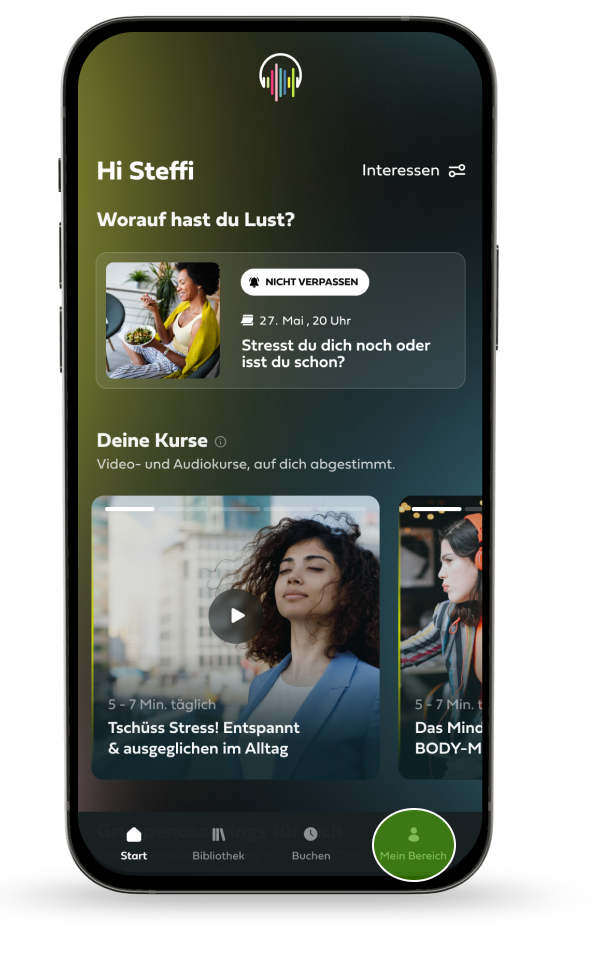
After you have logged in, click on "My Area" at the bottom of the navigation bar.
- Step 3:
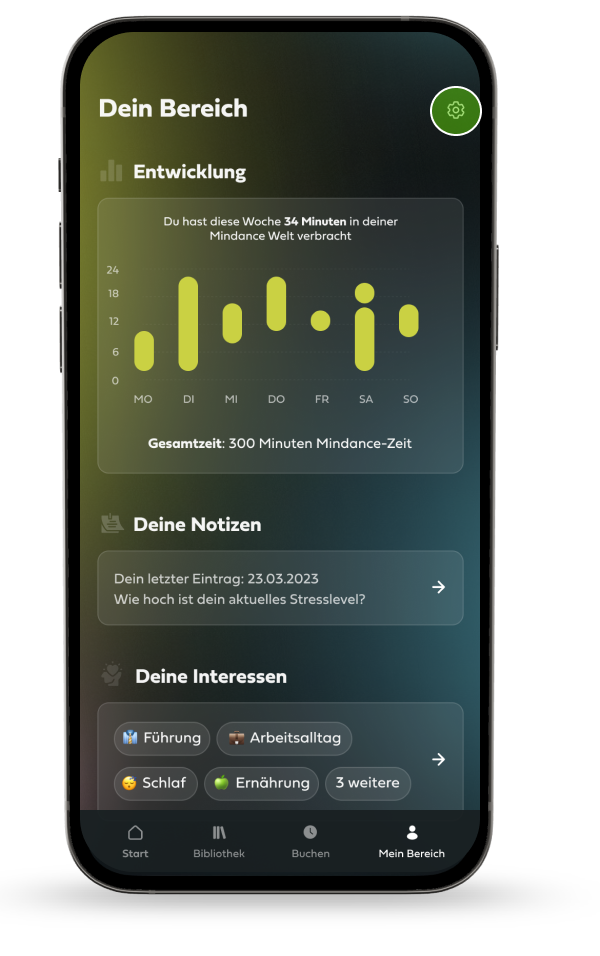
Then click on the gear wheel in the upper right corner.
- Step 4:
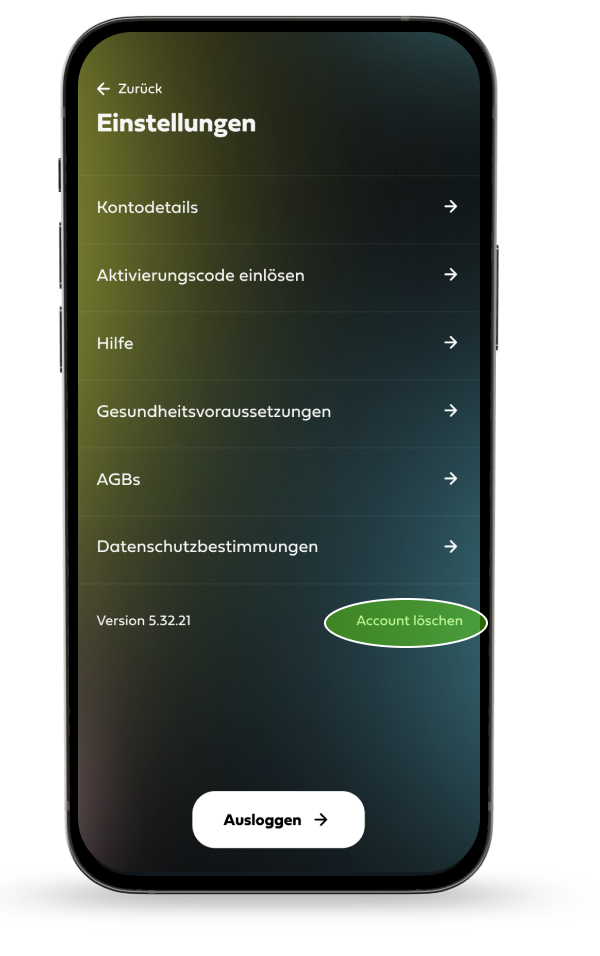
You are now in the settings. The last item at the bottom right "Delete account" triggers the deletion of your account and the associated data.
- Step 5:
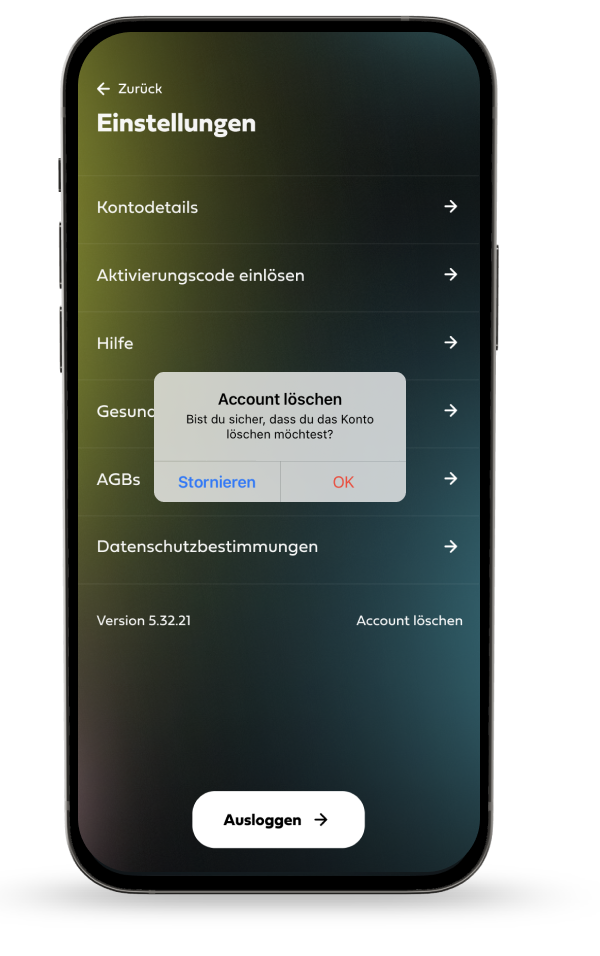
After you click on "Delete account", you will be asked if you are really sure. With the confirmation on "OK" your account and your related data will be permanently deleted.
You want us to delete the data for you?
No problem! Just send us an email with the email address of your account to: support@mindance.de
Too bad you want to leave us! Do you have any feedback for us that you would like to share? Feel free to write an email to info@mindance.de
Good luck to you further on your mental health journey! Your Mindance Team